

A Complete White-Label Video Hosting Platform
Media on Demand is a self-hosted, white-label platform at mediaondemand.cloud. Members upload, transcode and publish videos on their own branded channel — with HLS/ABR streaming, a fully customisable player, playlists & scheduling, VAST ads, community clip sharing, deep analytics, and TV distribution to Roku, Fire TV, Samsung Smart TV, Apple TV and Android TV.
Upload & Transcode
Chunked drag-and-drop (MP4, WebM, AVI, MOV, MKV and more) — real-time encoding progress from queued → probing → encoding % → ready. Per-video visibility, thumbnail crop tool, title/description/category editing, bulk delete and storage quota enforced by plan tier.
Stream, Embed & Share
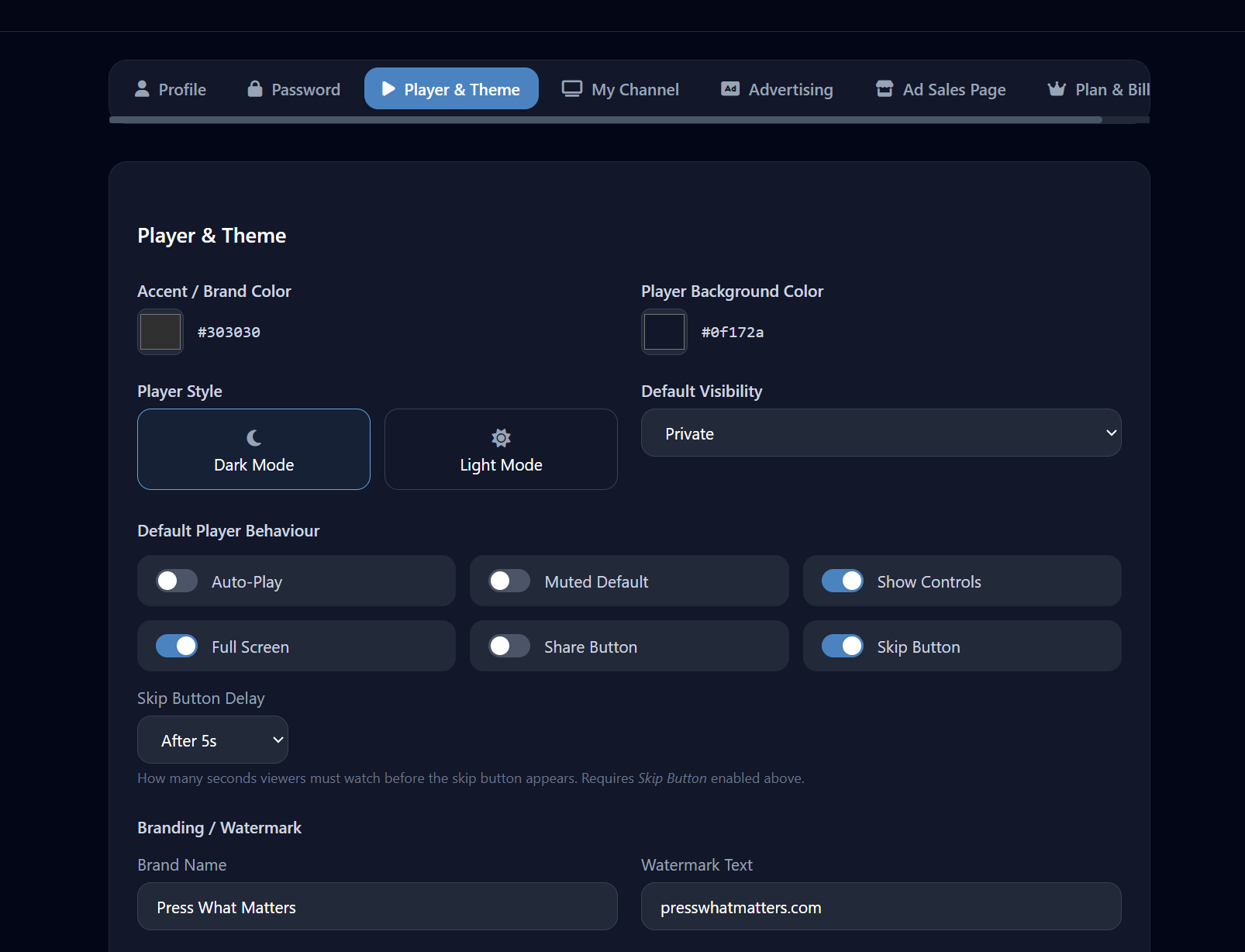
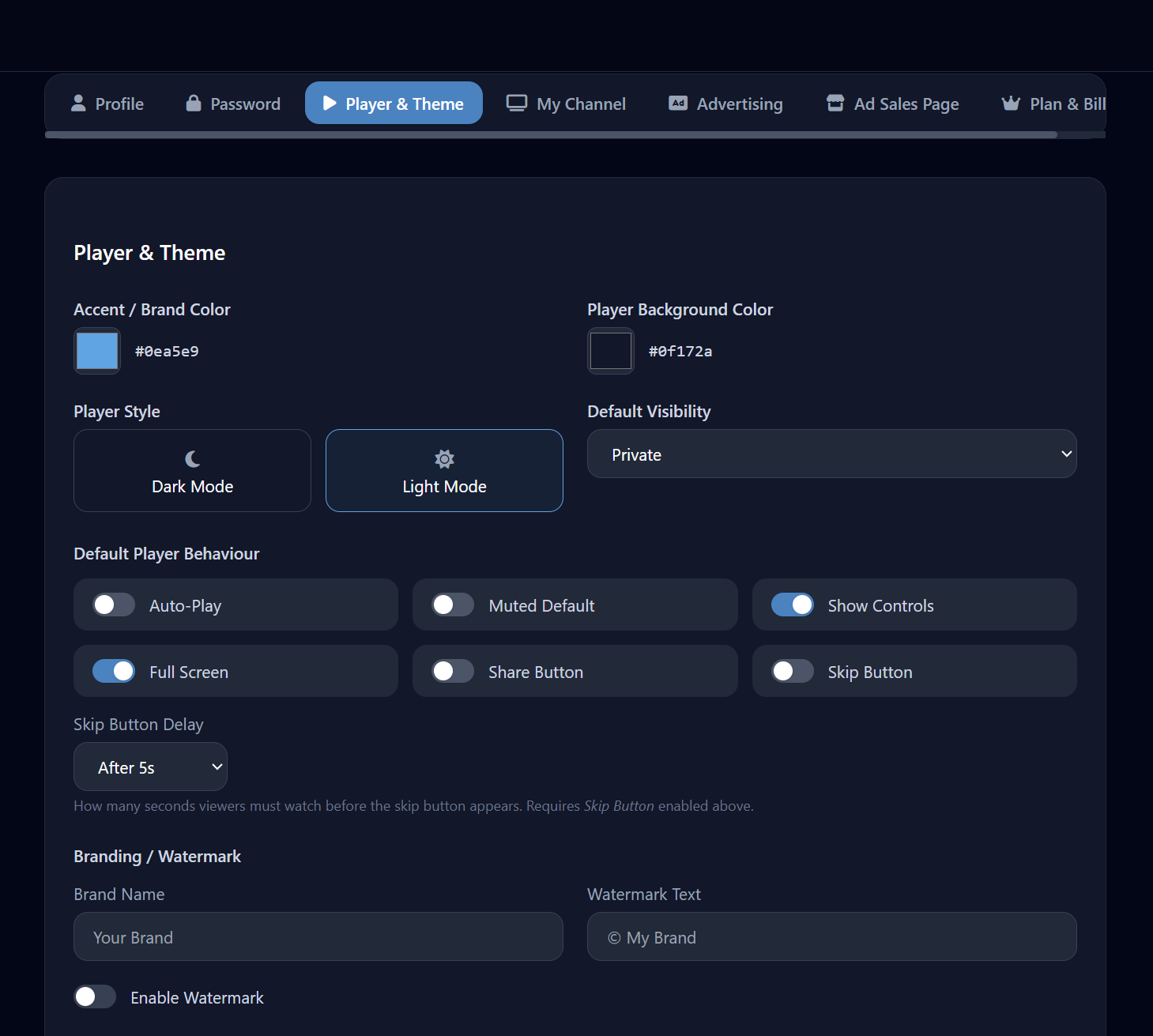
HLS adaptive bitrate streaming with MP4 fallback. Fully customisable player — theme colour, background, light/dark mode, per-video autoplay/mute/controls overrides, optional watermark and skip button. Responsive iframes you can paste anywhere.
Monetise, Analyse & Distribute
VAST pre-roll (Google Ad Manager, Magnite, SpotX…), banner campaigns, playlist ad breaks (Pro+), BTC CPM billing and impression tracking. Deep analytics — views, watch duration, platform breakdown, top videos. TV distribution to Roku, Fire TV, Samsung, Apple TV and Android TV.
From Upload to Adaptive Stream in Minutes
Every video goes through a fully automated pipeline. The player polls transcode status in real time — viewers see a live progress indicator while processing is still running.
Chunked Upload
Drag-and-drop any supported format. 90 MB chunks, per-file progress bar and navigation guard.
Reassemble on Server
Sequential chunk reassembly into the complete source file before transcoding begins.
FFmpeg Transcode
H.264/AAC, CRF 23, max 1080p, multiple ABR renditions. Progress streamed live to dashboard.
HLS Packaging
6-second .ts segments + index.m3u8 manifest — adaptive bitrate, ready for global CDN delivery.
Live Playback
Player streams HLS. Status API polls progress and updates the UI live until encoding is complete.
Powered by
Upload Anything. Manage Everything.
A full-featured video manager that handles every step from raw file to polished published video — no external tools needed.
A Fully Customisable Branded Player
HLS adaptive bitrate streaming with MP4 fallback, speed control, picture-in-picture and fullscreen — every visual and behavioural detail configurable down to per-video level.
HLS / ABR + Fallback
Streams HLS adaptive bitrate (multiple renditions). Automatically falls back to direct MP4 if HLS is unsupported by the viewer's browser.
Playback Speed Control
0.5× to 2× speed control built into the player. Useful for educational and tutorial content.
Picture-in-Picture
Native PiP support. Viewers can pop the video into a floating window and keep watching while browsing other tabs.
Theme & Colour
Accent colour, background colour and light/dark mode are all configurable at the channel level. Per-video overrides allow different looks for different content.
Per-Video Overrides
Autoplay, mute on start, show/hide controls, fullscreen button and sharing button are all overridable per video without changing the channel default.
Watermark Text Overlay
Optional text watermark displayed over the video at a configurable position. Deters piracy and reinforces branding on every play. Enterprise plan.
Skip Button
Optional skip button with a configurable delay (e.g. skip after 5 seconds). Set globally or override per video.
Fullscreen & Sharing
Fullscreen button and in-player sharing panel can be shown or hidden on a per-channel or per-video basis.
Monetise Your Channel With Your Own Ad Campaigns
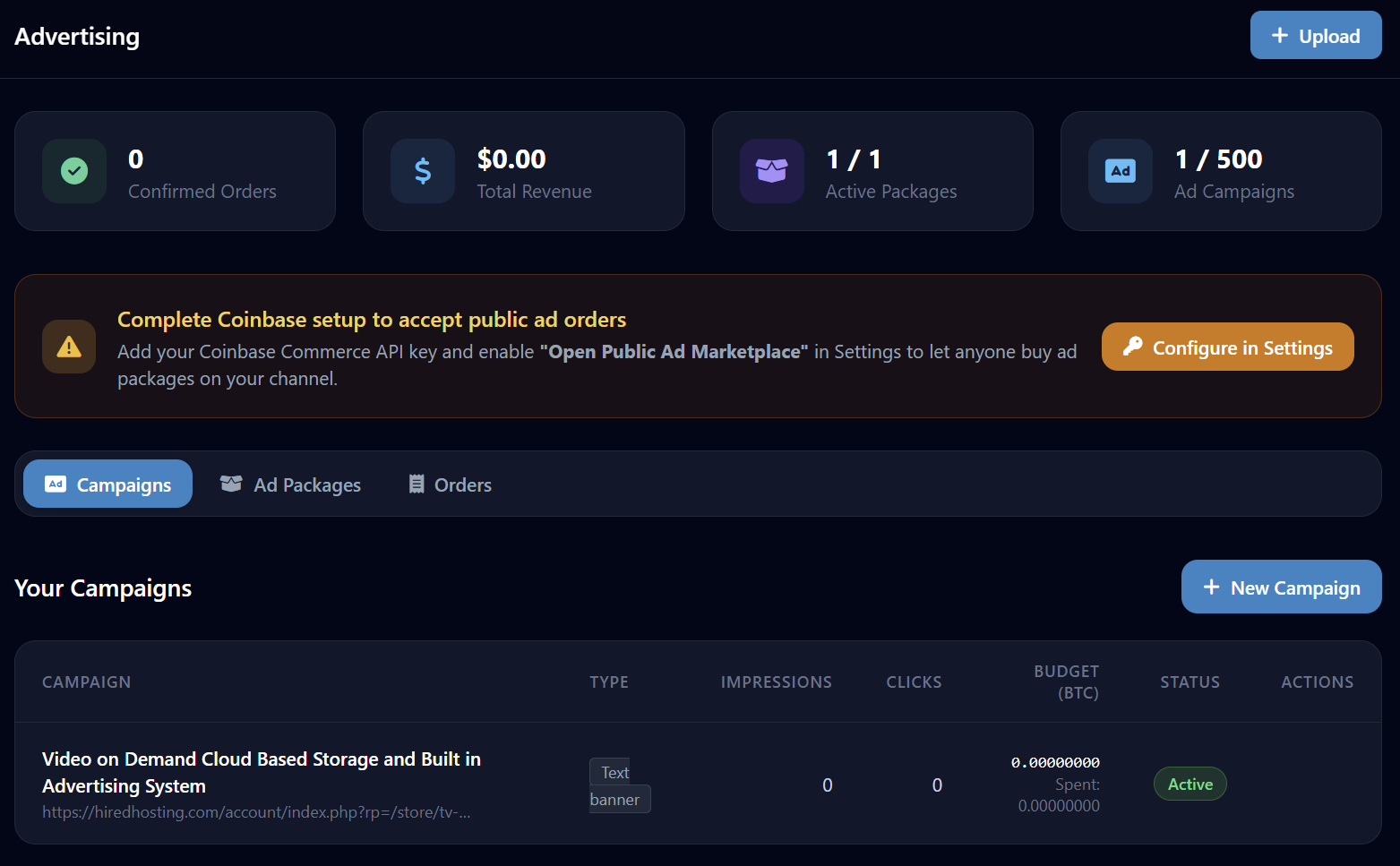
Members create and manage their own campaigns. Set CPM in BTC, date range, skip timer and destination — no third-party ad network required.
VAST Pre-roll
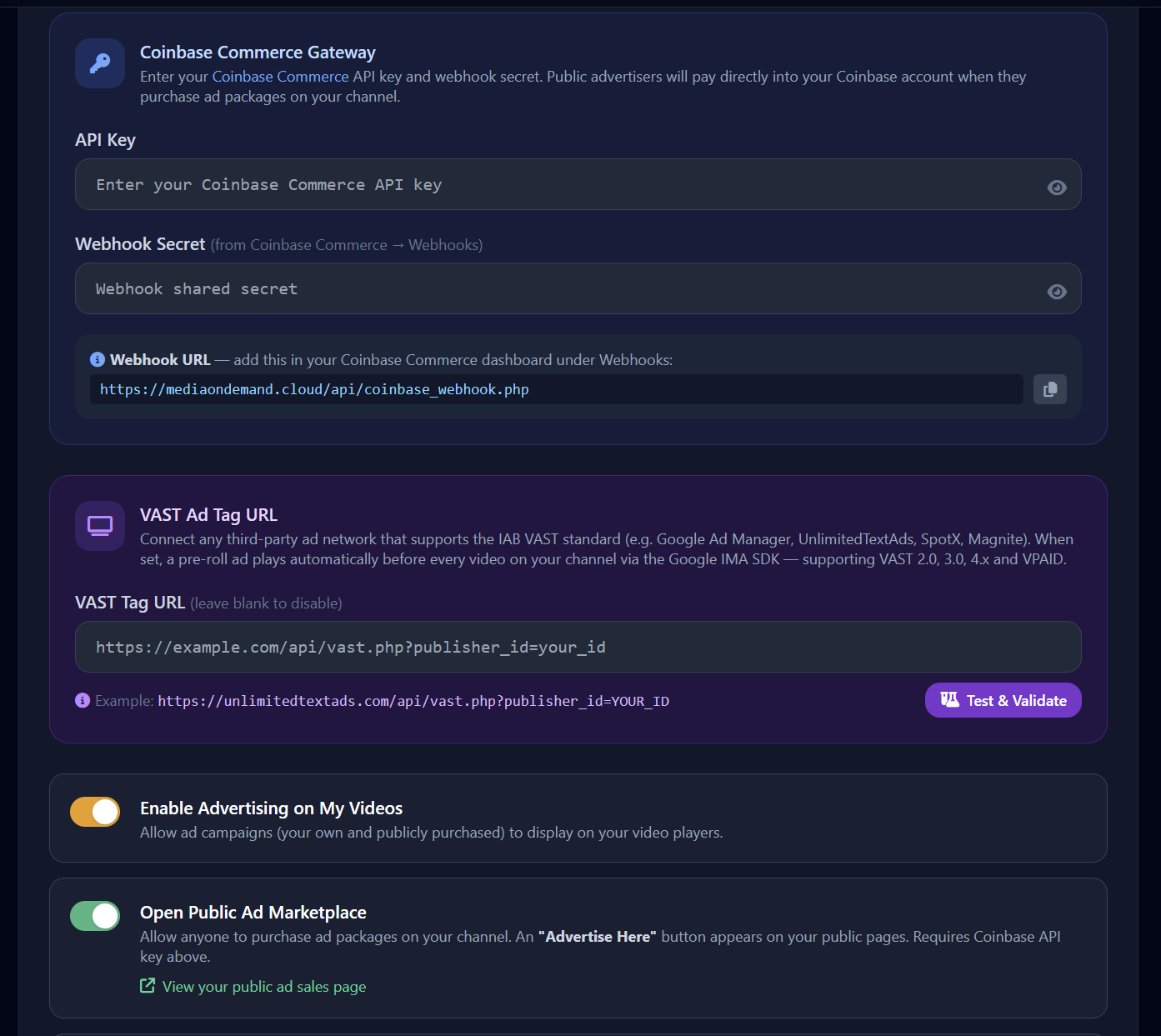
Supports VAST tags from Google Ad Manager, Magnite, SpotX and any VAST-compatible server. Built-in proxy fixes CORS issues. Includes a VAST tag tester & validator.
Banner Ad Campaigns
Banner ads displayed on video watch pages — image or text banners, with click-through URL, date range, CPM targeting and impression tracking.
Image Overlay
Upload a PNG or WebP image overlay displayed during playback. Full position & size control. Transparent backgrounds for clean branding.
Pre-roll Video Ads
A full video clip that plays before the main content. Configurable skip-after timer — set globally or override per video.
Playlist Ad Breaks
Insert ad breaks into autoplay playlists at a configurable frequency (e.g. every 3 videos). Ideal for linear TV-style ad insertion.
Impression & Click Tracking
Every impression and click-through is logged. View campaign performance in the analytics dashboard with per-campaign breakdowns.
BTC CPM Payments
All ad billing is settled in Bitcoin CPM. Members set their own CPM rate; advertisers pay per thousand impressions served.
Skip Timer Control
Set a global skip delay or override per video. Guarantees impression delivery on high-value placements.
Live TV–Style Scheduler & Autoplay Playlists
Build a 24/7 channel that plays just like live TV, or create continuous autoplay playlists — with sort options, scheduled time anchors, ad breaks and a live M3U8 stream for IPTV apps.
Your Brand. Your Channel. Your Audience.
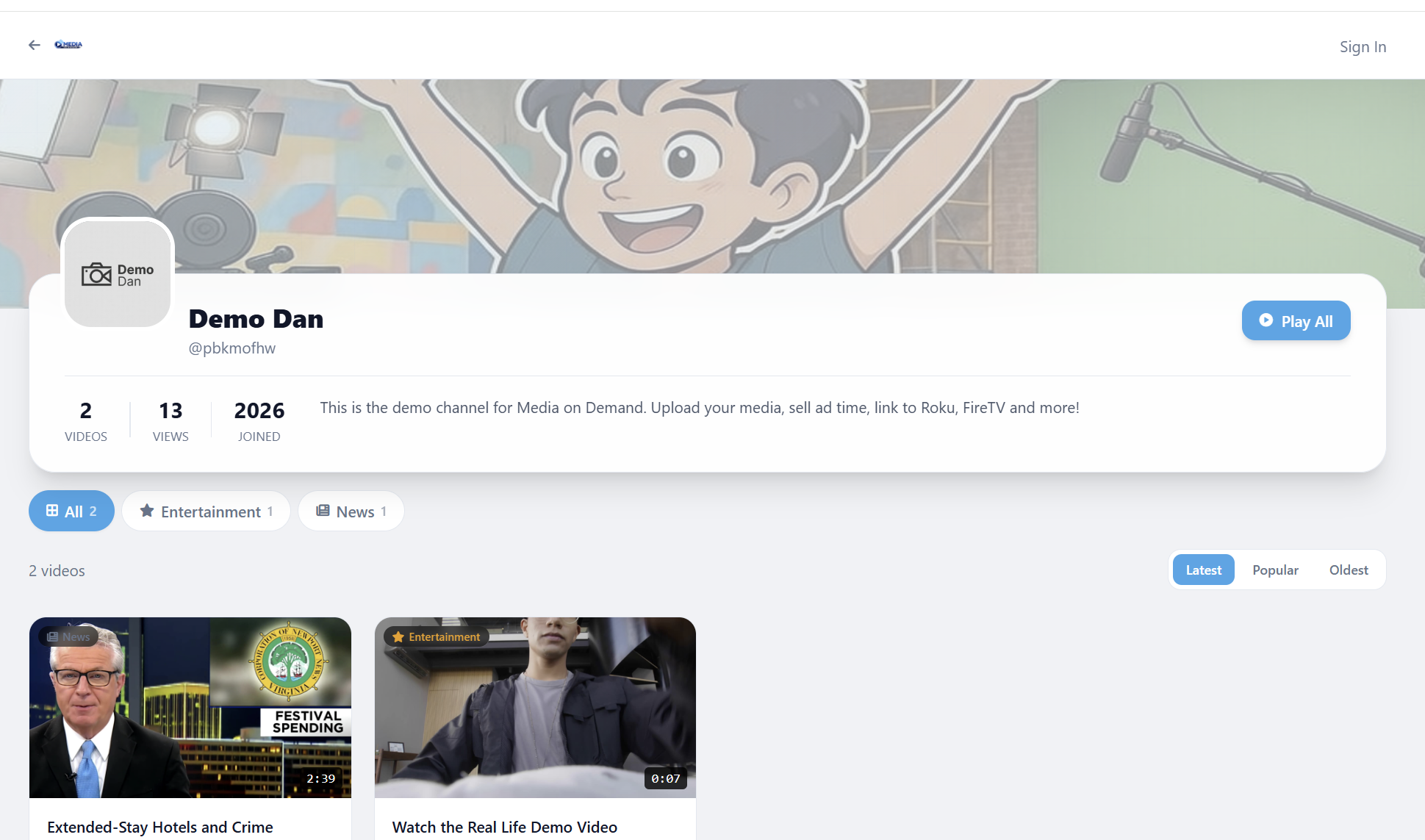
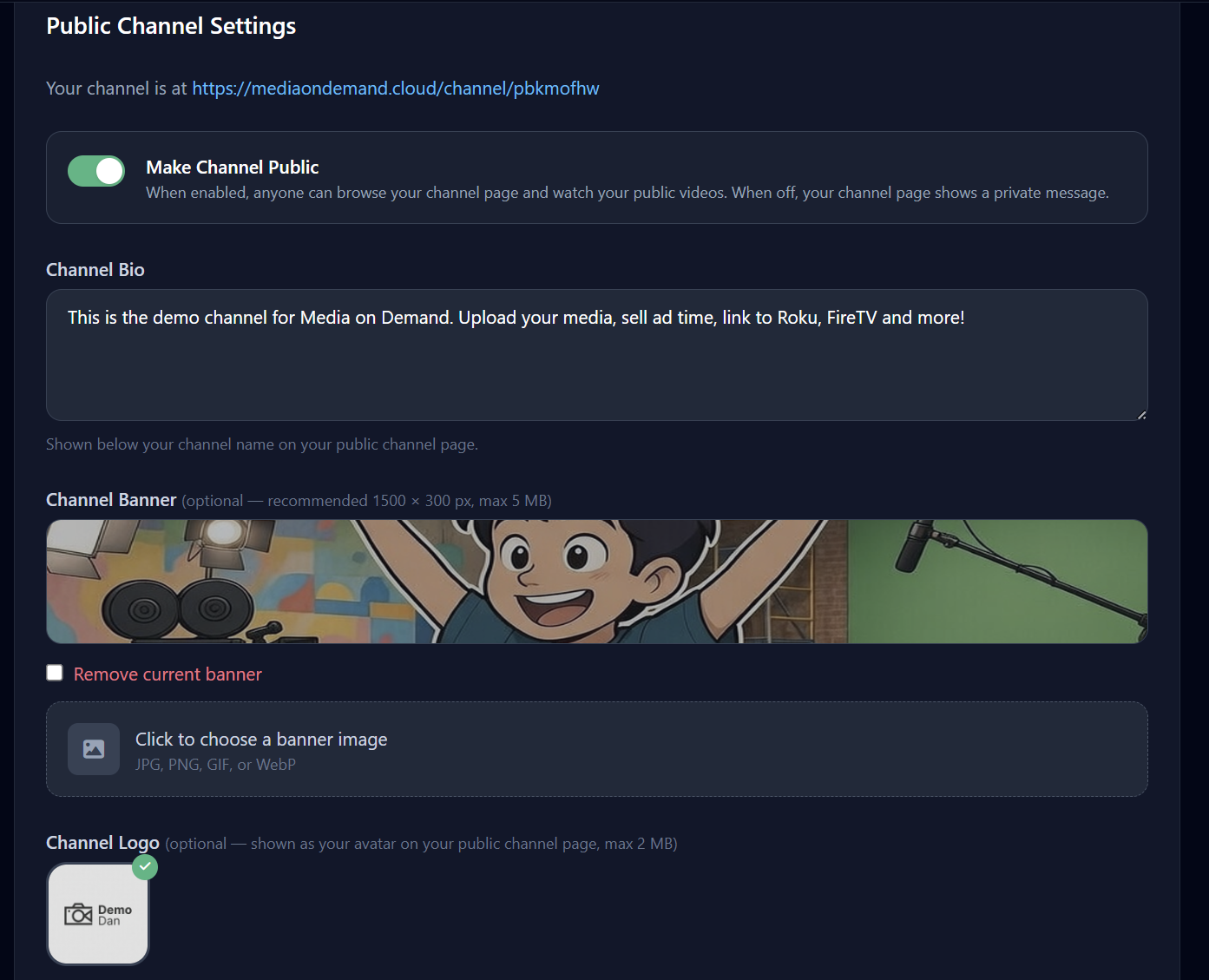
Every member gets a fully branded public channel page. Upload a logo and banner, write a bio, choose a brand name that replaces your display name everywhere on the platform, and watch followers accumulate.
Share Clips Across the Community
Members can share clips from their own videos to a shared community library, and add other members' clips to their own channel — with independent ownership so originals and copies are managed separately.
Share a Clip
Share any of your uploaded videos to the community library with a single click. The clip becomes discoverable by all members.
Add to Your Channel
Browse the community library and add any shared clip to your own channel. It appears as part of your video manager.
Independent Ownership
Originals and copied clips are managed completely separately. Deleting or editing your copy has no effect on the original, and vice versa.
Community Library
A growing library of shared clips from all members — filterable by category, sortable by newest or popular.
Know Exactly How Your Audience Watches
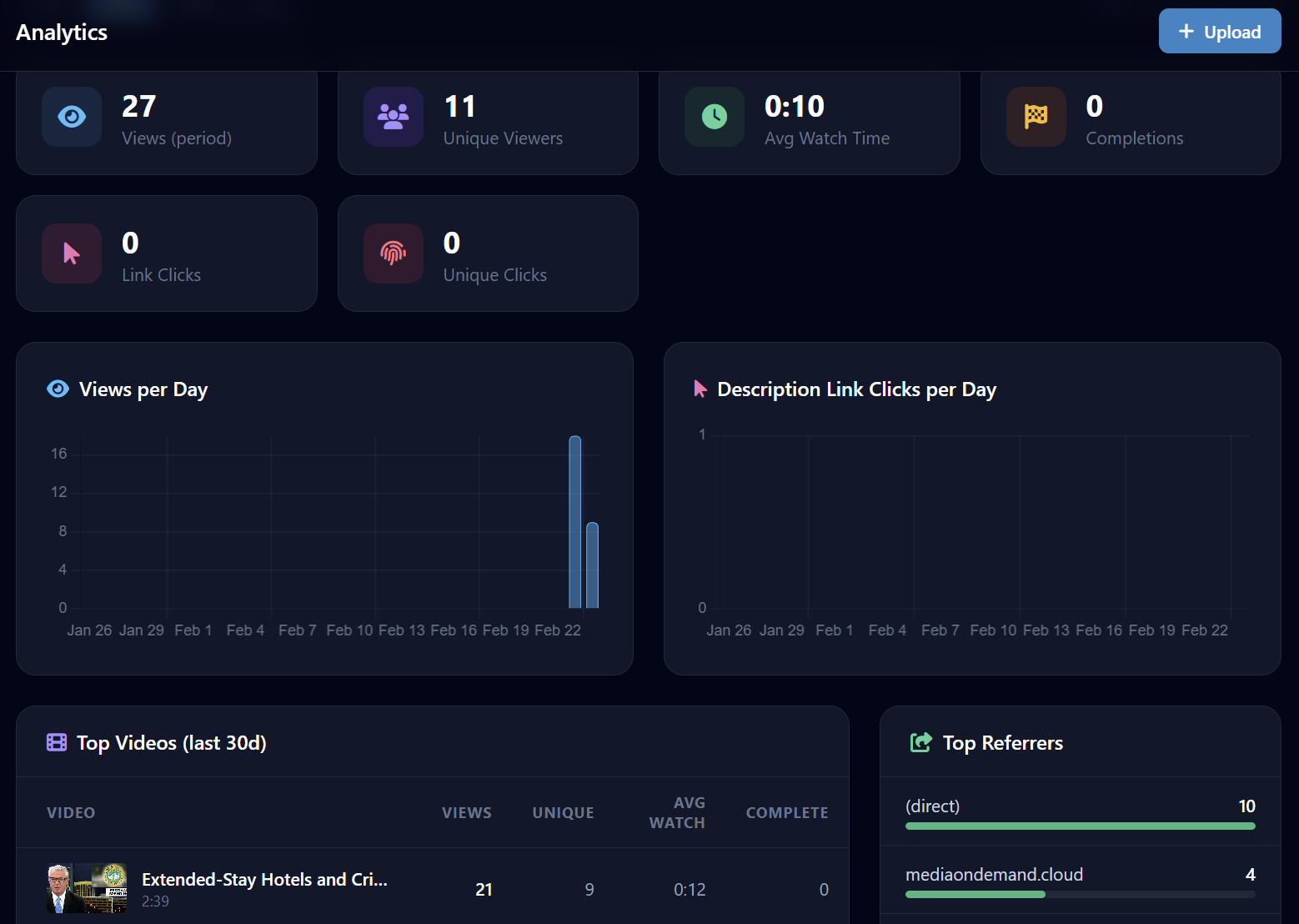
Deep engagement analytics across every video and channel — views, unique viewers, average watch duration, completion rate, referrers, platform breakdown and top videos. Clickable description link tracking on Pro+.
Share Your Content Everywhere
One-click copy for every URL you need — embed codes, channel links, playlist URLs, M3U8 streams, RSS feeds and live TV URLs.
Responsive iframe Embed
Embed any video on any website with a fully responsive iframe. Customise width, autoplay and mute before copying.
Channel & Video Links
Shareable links for your channel, any individual video and any playlist. One-click copy button on every link.
RSS & M3U8 Feeds
RSS feed for podcast clients, M3U8 stream URL for IPTV apps — all auto-generated for your channel.
Live TV URL
A dedicated live TV channel URL for viewers to watch your scheduled stream via any HLS-capable media player.
<iframe
  src="https://mediaondemand.cloud/embed/VIDEO_ID"
  width="100%" height="420"
  frameborder="0" allowfullscreen
  allow="autoplay; fullscreen">
</iframe>
Everything From a Single Clean Interface
Your dashboard gives full control over every video, ad campaign, playlist, schedule and analytic.
Upload
Chunked multi-file drag-and-drop with per-file progress bars and navigation guard.
Video Manager
View, search and organise all videos. Bulk visibility changes, bulk delete, transcode status at a glance.
Edit Video
Title, description, category, visibility, per-video player settings and ad assignment on one screen.
Analytics
Pro+Views, unique viewers, top videos, referrers, platform breakdown, completion rate and link-click tracking.
Ad Campaigns
VAST tags, text banner, image overlay, pre-roll video — CPM in BTC, skip timer, date range.
Scheduler
Clock wheel view, drag & drop timeline, M3U8 export per schedule, looping & auto-fill.
Clip Sharing
Share clips to the community library or add members' clips to your own channel.
Embeds
Ready-to-paste iframe embed code per video. Customise before copying.
TV Distribution
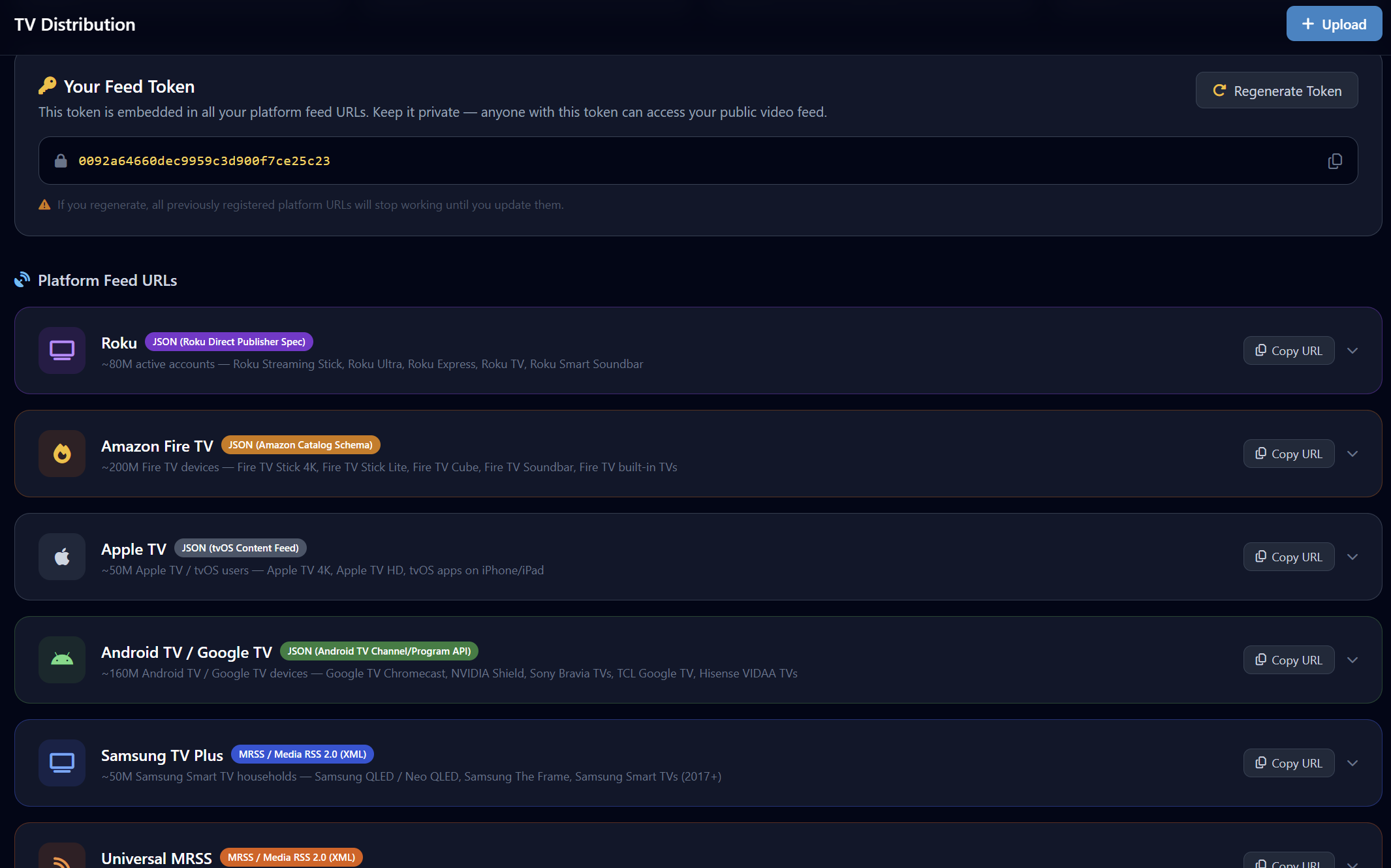
Biz+Auto-generate feeds for Roku, Fire TV, Samsung, Apple TV and Android TV.
Settings
Player theme, brand name, accent colour, watermark, VAST URL, channel logo/banner/bio and billing.
Flexible Sign-In — Password, OAuth or SSO
Members register with email/password, or authenticate with Google or GitHub. WHMCS integration delivers frictionless SSO for existing customers.
Email & Password
Standard registration and login with email and password. Password change and profile info update from the account settings page.
Google OAuth
Members can register and log in via their Google account. No separate password required.
GitHub OAuth
Developer-friendly GitHub OAuth login. Great for technical content creators.
WHMCS SSO
Existing Hired Hosting / WHMCS customers get one-click SSO login — no separate Media on Demand account required.
Profile & Branding
Update channel logo, banner and bio from the account settings page. Brand name, accent colour and player theme all in one place.
Pick the Plan That Fits Your Channel
Every plan includes HLS adaptive bitrate streaming, public channel, embeddable player, analytics, clip sharing, playlists and ad campaigns. Higher tiers unlock more storage and exclusive features.
Basic
10 GB Storage
- 10 GB NvMe SSD Storage
- HLS/ABR Adaptive Streaming
- Public Channel Page
- Embeddable Video Player
- Custom Player Theming
- Text/Image Ad Overlays
- Autoplay Playlists
- Clip Sharing
- Analytics Dashboard
- Unlimited Video Uploads
Pro
25 GB Storage
- 25 GB NvMe SSD Storage
- Everything in Basic
- Clickable Description Links
- Link Click Analytics
- Pre-roll Video Ads
- VAST Tag Support + Tester
- Playlist Ad Breaks
- BTC CPM Ad Payments
Business
50 GB Storage
- 50 GB NvMe SSD Storage
- Everything in Pro
- Roku Channel Distribution
- Amazon Fire TV Distribution
- Samsung Smart TV Feed
- Apple TV JSON Feed
- Android TV / Google TV Feed
- Feed Token Regeneration
Enterprise
100 GB Storage
- 100 GB NvMe SSD Storage
- Everything in Business
- Priority Transcoding Queue
- Custom Video Watermark
- VAST Pre-roll via Proxy
- Dedicated Account Support
- All OTT Platform Feeds
- Skip Button Per-Video Config
